

 By
By Introduction
Are you struggling to create content using AI consistently without getting into trouble? You’re not alone. Most of the creators try using AI in content creation, but end up with generic, low-quality content in their results.
The problem gets worse when you rely fully on AI without a proper system and workflow. Your content feels robotic, rankings drop, and your audience loses interest in your robotic content. Meanwhile, others are publishing faster and getting better results using the same tools but not you.
The difference is clear? They follow a proven workflow.
In this guide, you’ll learn how to use AI in content creation in a proper right way—without sacrificing quality of your content.
Here’s what you’ll discover in this article:
- A step-by-step AI content creation workflow that help you to getting desired results
- How to turn AI drafts into high-quality, human written content
- Proven strategies to scale AI content without losing your actual voice
When I first started using AI in content creation during my college days, I didn’t even know what prompting was. My content felt robotic and confusing. But once I understood the workflow, everything changed.
Let’s break it down.
What is an AI Content Creation Workflow? (Complete Beginner Guide)
Have you ever wondered why some people create content 10x faster using AI while others struggle with poor results? The difference is simple: they follow a clear AI content creation workflow.
What is AI Content Creation?
The AI content creation workflow is a step-by-step system used to generate, edit, and publish content using artificial intelligence tools.
At its core, it combines generative AI content with human input to produce high-quality results. Instead of writing everything manually, you guide the AI through a structured AI writing process, or we can say that it is a well-optimized prompt.
Here’s a simple explanation of how this workflow works:
- Idea generation
- Prompt creation
- AI draft generation
- Editing and optimization
- Final publishing
At first, I used very basic prompts like ‘write about AI,’ and the results were poor. But when I started giving detailed instructions, my content quality improved significantly.
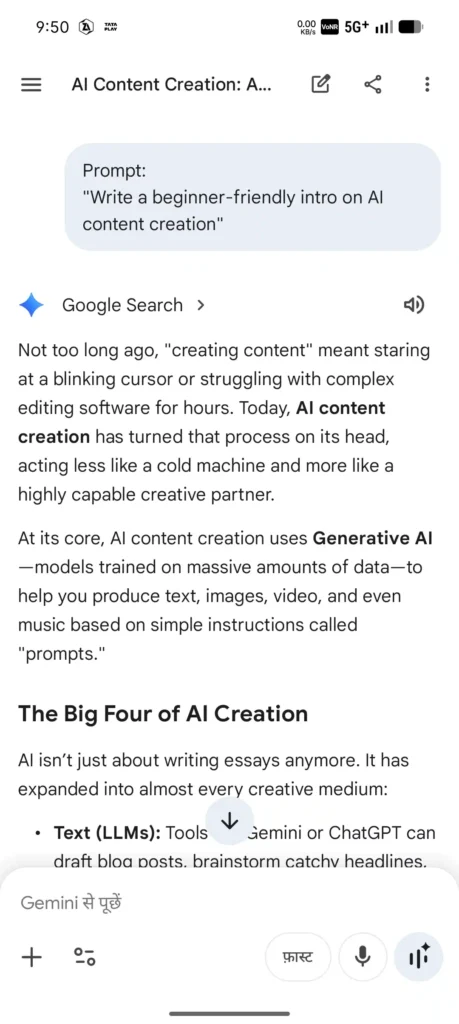
👉 Workflow Diagram:
Idea → Prompt → Draft → Edit → Publish
This process uses AI content generation tools and a content automation workflow to save time while maintaining content quality.
Example: You give AI a prompt like “Write a blog intro about AI tools.” It generates a draft in seconds. Then, you refine it to match your brand tone and accuracy.
AI vs Traditional Content Writing
Let’s compare both approaches:
Traditional Writing:
- Time-consuming
- Requires full manual effort
- Slower content production
AI Content Workflow:
- Faster drafting
- Uses content automation
- Allows quick editing and scaling
However, AI is not perfect.
Raw AI output:
“AI is useful for content and helps people write faster.”
Human-edited version:
“AI is a useful tool for content creation, and everyone can use it freely and speed up their content creation process.”
That’s the real power of a structured AI content creation workflow—it combines speed with human creativity.
In short, if you want to create high-quality content faster without losing control, a workflow is essential.
Benefits of AI Content Creation
What if you could create a week’s worth of content in just a few hours? That’s the real power of a structured AI content creation workflow.
When used correctly, AI doesn’t just save time—it helps you grow faster, publish consistently, and improve your SEO performance.
How AI Saves Time
The biggest advantage is speed. With the AI content generation workflow, you can go from idea to draft in minutes.
Instead of spending hours writing, you can:
- Generate outlines instantly
- Create first drafts in seconds
- Edit and optimize quickly
Studies and industry reports suggest AI can reduce content creation time by 50–70%, depending on your exact workflow.
Pro Tip: Use AI for the first draft, but always refine it yourself. This keeps the content quality high while saving your time.
How AI Helps Scale Content
Scaling content manually is difficult. However, with content automation benefits, you can turn one idea into multiple assets.
For example:
1 blog post
- 5 social media posts
- 2 email newsletters
- 1 video script
- 1 LinkedIn article
- 1 short-form reel idea
This is called content scaling, and it’s where AI truly shines.
Additionally, you can maintain a steady publishing schedule without burnout.
Real Results from AI Content
Let’s be honest and practical. AI is not magic, but it is powerful when used correctly.
Creators using a structured AI content creation workflow often report:
- Faster publishing cycles
- More consistent output
- Better idea generation
- Improved SEO performance
However, results depend on your given input. Poor prompts lead to poor output.
The more detailed and informative the prompt you give, the more detailed the output you receive.
Example: A blogger using AI drafts + human editing increased output from 2 to 8 posts per month—without hiring extra writers.
In short, AI boosts productivity, helps you scale faster, and keeps your content pipeline full.
Personally, I was able to increase my content output from 2 posts per week to 5 posts per week on LinkedIn using a proper AI workflow.
Step-by-Step AI Content Creation Workflow
Will you want to turn AI into a real content machine—not just a random text generator? For this you need a proven AI content creation workflow.
This step-by-step system helps you build a reliable AI workflow that produces high-quality, SEO-friendly content every time.
Step 1: Find Content Ideas Using AI
Everything starts with the right idea. Without it, even the best tools won’t help.
Use AI to brainstorm topics based on your niche, audience, and trends.
Try prompts like:
“Give me 10 blog ideas about AI for beginners”
“What problems do content creators face in SEO?”
Pro Tip: Focus on problems, not just topics. Problem-based content performs better.
Step 2: Keyword Research (SEO Focus)
Next, validate your idea with keyword research. This step connects your content to real search demand.
Look for:
- Low-competition keywords
- Long-tail phrases
- Question-based queries
This builds a strong SEO content process and ensures your content can rank.
Additionally, use AI to expand keyword lists and find related terms.
Step 3: Writing Powerful AI Prompts
This is where most people fail. Weak prompts = weak content.
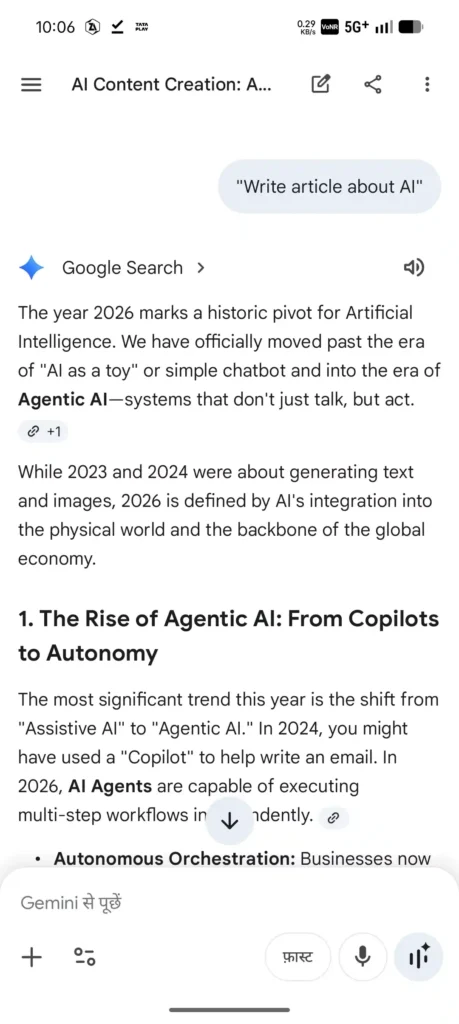
Use prompt engineering to guide AI clearly.
Instead of: “Write about AI tools.”
Try: “Write a 1000-word beginner guide on AI tools with examples, benefits, and step-by-step usage.”
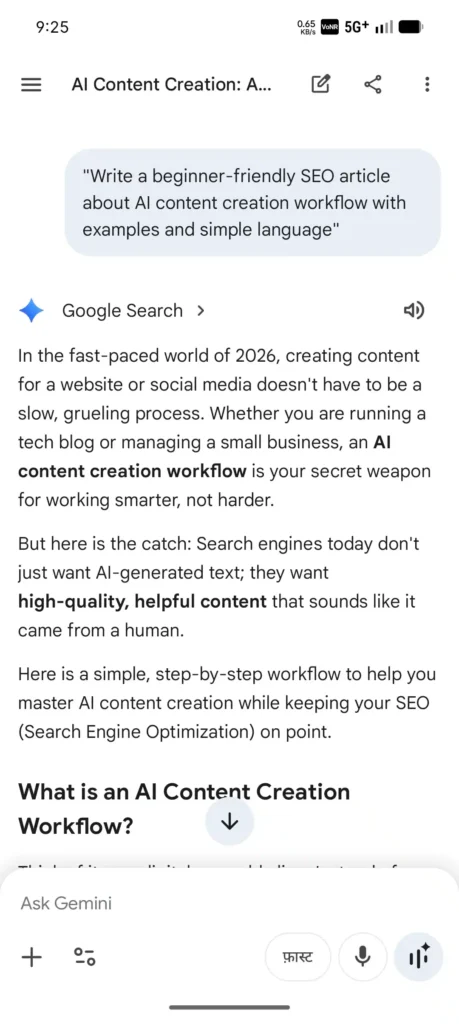
Expert Insight: The more specific your prompt, the better your output.
Step 4: Generate First Draft
Now let AI do the heavy lifting.
Generate your first draft quickly using your structured prompt. This speeds up your content pipeline significantly.
However, don’t expect perfection. Think of this as a rough draft, not the final product.
Step 5: Human Editing & Optimization
This is the most important step.
Refine the draft by:
- Improving clarity and tone
- Adding real examples
- Fixing factual errors
- Optimizing for keywords
Raw AI output: “AI helps write content fast.”
Edited version: “AI speeds up content creation, but human editing ensures accuracy and engagement.”
This step turns average content into high-quality content.
Step 6: Publish & Distribute
Finally, publish your content and distribute it across platforms.
Don’t stop at one format. Repurpose it into:
- Social media posts
- Emails
- Short videos
This completes your AI content creation workflow and maximizes reach.
✅ Quick Workflow Checklist
- Idea generation
- Keyword research
- Prompt creation
- Draft generation
- Editing & optimization
- Publishing & distribution
In short, this structured AI workflow helps you create faster, rank better, and stay consistent.
Best AI Content Creation Tools (2026)
Choosing the right tools can make or break your AI content creation workflow. With so many AI writing tools available, it’s easy to feel confused.
The key is simple: pick tools based on your goal, not hype. Some tools are better for writing, while others help with research, SEO, or automation.
Free AI Tools
If you’re just starting, free tools are more than enough to build your AI workflow.
Here are some popular options:
ChatGPT – Great for drafting, brainstorming, and prompts
Google Gemini – Useful for research and quick answers
Canva – Helps create visuals and social content
These tools offer strong content automation benefits without any upfront cost.
Pro Tip: Combine 2–3 free tools instead of relying on just one. This improves output quality.
Paid AI Tools
Paid tools are built for professionals who want speed, scale, and advanced features.
Top AI generators include:
Jasper AI – Best for marketing and long-form content
Copy.ai – Ideal for ads, emails, and short-form content
Surfer SEO – Helps optimize content for ranking
These tools improve your content pipeline by combining writing, SEO, and optimization in one place.
Which Tool is Best for Beginners?
If you’re new, start simple.
👉 Use ChatGPT for writing
👉 Use Canva for visuals
👉 Add SEO tools later
This setup is enough to build a complete AI content creation workflow without spending money.
In short, the best content tools are the ones that fit your workflow and goals. Start small, then upgrade as your content grows.
How to Write High-Quality AI Content (Avoid Low Quality)
AI can write fast—but speed without quality won’t rank or convert. The real win comes when you combine a smart AI content creation workflow with strong editing and human insight.
Let’s break down how to turn average AI output into high-quality, humanized content.
Why AI Content Sometimes Fails
AI often produces content that sounds correct but feels generic. This happens because it predicts text, not meaning.
Common issues include:
- Repetitive sentences
- Lack of real examples
- Outdated or incorrect facts
- No unique perspective
That’s why content quality depends on you, not just the tool.
Example (Raw AI):
“AI helps create content quickly and easily.”
Improved Version:
“AI speeds up content creation, but real value comes when you refine it with accurate data and your personal insights.”
How to Humanize AI Content
To improve quality, focus on AI editing and adding a human layer.
Here’s what works:
Add real-life examples or experiences
Use simple, conversational language
Break long sentences into shorter ones
Include opinions or insights
Pro Tip: Always ask, “Would I trust this content?” If not, improve it.
Additionally, follow Google’s E-E-A-T principles:
Experience – Share practical use cases
Expertise – Explain clearly
Authority – Use accurate information
Trust – Avoid misleading claims
“Earlier, my AI content sounded very generic. But after adding my own examples and editing properly, my engagement and readability improved noticeably.”
AI Content Quality Checklist
Before publishing, run this quick checklist:
- Is the information accurate and updated?
- Does it sound natural and human?
- Are examples included?
- Is it optimized for keywords without stuffing?
- Does it solve a real problem?
In short, AI gives you speed, but humanized content gives you results.
AI Content for SEO (Ranking Strategy)
Think AI content ranks automatically? Not really. Without proper SEO, even the best AI-written content won’t reach page one.
To win, you need a smart AI content creation workflow combined with a strong AI SEO strategy.
How to Use AI for SEO Content
AI can speed up research and writing, but you must guide it with clear SEO intent.
Start by:
- Targeting one primary keyword per article
- Adding related LSI keywords naturally
- Creating structured outlines before writing
This improves content optimization and helps search engines understand your topic.
Example (SEO-optimized paragraph):
“An AI content creation workflow helps you generate content faster while improving SEO. By using proper keyword placement and structured prompts, you can create content that ranks and engages readers.”
Notice how the keyword fits naturally without forcing it.
On-Page Optimization Tips
Once your draft is ready, optimize it for better ranking.
Focus on these key areas:
- Keyword placement: Title, intro, headings, and conclusion
- Keyword density: Keep it natural (around 1–2%)
- Headings (H1–H3): Use clear structure
- Internal linking: Link to 2–3 related articles
- Meta tags: Write strong title and description
Pro Tip: Don’t over-optimize. Keyword stuffing hurts readability and rankings
Ranking Factors in 2026
Search engines are smarter now. They focus more on quality than just keywords.
Important ranking signals include:
- Helpful, user-focused content
- Strong content optimization
- Page experience (speed, mobile-friendly)
- E-E-A-T (experience, expertise, authority, trust)
- Internal linking structure
Additionally, featured snippets are a big opportunity. Use:
- Short answers
- Bullet points
- Question-based headings
In short, AI helps you create content faster, but SEO ensures it gets seen.
AI Content Repurposing System (1 to 10 Strategy)
Creating content is hard. But creating it again and again is even harder. That’s why content repurposing is a game-changer in your AI content creation workflow.
With the right system, you can turn 1 blog post into 10+ pieces of multichannel content without starting from scratch.
Turn Blog into Social Posts
Start by breaking your blog into small, shareable ideas.
Use AI to extract:
- Key tips
- Quotes
- Statistics
- Short summaries
Then convert them into:
- Twitter/X threads
- LinkedIn posts
- Instagram captions
Pro Tip: Focus on one idea per post. This improves engagement and clarity.
Example: A blog section on “AI workflow steps” → becomes a 5-post thread explaining each step.
Convert Content into Videos
Video content is growing fast. Luckily, AI makes it easier.
Take your blog and:
- Turn headings into video scripts
- Convert key points into short-form reels
- Add hooks for better retention
This is where content recycling works best. You don’t need new ideas—just new formats.
Expert Insight: Short videos (30–60 seconds) perform best for repurposed content.
Email Marketing with AI
Don’t ignore email. It’s still one of the highest ROI channels.
Use AI to:
- Summarize your blog into newsletters
- Create engaging subject lines
- Personalize content for your audience
For example:
Blog → Weekly email → “Here’s how to build an AI content workflow in 6 steps”
🔁 Simple Repurposing Framework
- Write 1 blog post
- Extract 5–7 key ideas
- Convert into social posts
- Turn into video scripts
- Send as email content
In short, multichannel content helps you reach more people without extra effort.
Maintaining Brand Voice with AI
Ever noticed how some AI content feels robotic while others sound human and engaging? The difference is brand voice. Even with a strong AI content creation workflow, your content must sound like you, not a machine.
Why Brand Voice Matters
Your brand voice builds trust and recognition. If your tone keeps changing, your audience gets confused.
With proper brand voice AI usage, you can:
- Maintain tone consistency across all content
- Build a recognizable identity
- Improve engagement and trust
For example, a tech blog should sound clear, helpful, and slightly conversational—not overly formal or robotic.
Pro Tip: Think of your brand as a person. How would they speak? Friendly, expert, or casual?
How to Train AI for Your Voice
AI doesn’t know your style unless you teach it. That’s where custom prompts and guidelines help.
Start by defining:
- Tone (friendly, professional, casual)
- Writing style (short sentences, simple words)
- Audience (beginners, experts, creators)
Then use a prompt like:
“Write in a conversational, beginner-friendly tone. Use simple language, short sentences, and practical examples. Avoid robotic phrases.”
Additionally, reuse your best-performing content as reference. This improves tone consistency over time.
In short, AI can follow your voice—but only if you guide it clearly.
Common AI Content Mistakes to Avoid
Think AI will do everything for you? That’s where most people go wrong. Even with a solid AI content creation workflow, small mistakes can ruin your results.
Let’s fix the most common AI mistakes so your content actually performs.
1. Copy-Paste Content Without Thinking
Many beginners copy AI output and publish it directly. This leads to generic and low-value content.
AI gives you a draft, not a final product.
Fix: Always rewrite, add examples, and include your own insights.
2. Skipping Editing Completely
No editing = poor content quality. AI often makes small errors or repeats ideas.
If you skip editing, your content will:
- Sound robotic
- Lose credibility
- Fail to engage readers
Pro Tip: Spend at least 20–30% of your time on editing, not just writing.
3. Keyword Stuffing for SEO
Trying too hard to rank can backfire. Overusing keywords makes content unreadable.
This is one of the biggest content errors in AI writing.
Fix: Keep keyword usage natural. Focus on value first, SEO second.
4. Over-Reliance on AI
AI is powerful, but it’s not perfect. It lacks real experience and judgment.
If you depend fully on AI:
- Content feels generic
- No unique voice
- Lower trust from readers
“One mistake I made early was copying AI content directly without editing. This resulted in low engagement and poor performance.”
In short, avoid these mistakes and your AI content creation workflow will produce better, more reliable results.
Future of AI Content Creation (2026 & Beyond)
What will content creation look like in the next few years? One thing is clear—AI is not slowing down. In fact, the AI content creation workflow will become smarter, faster, and more personalized.
Smarter AI and Better Outputs
With rapid future AI advancements, tools are improving in accuracy and understanding. AI can now generate more natural, context-aware content.
This means:
- Fewer errors in drafts
- Better structure and clarity
- More human-like writing
However, human editing will still be essential for trust and originality.
Automation Will Dominate Workflows
Automation is becoming a core part of content strategies. From idea generation to publishing, AI can handle repetitive tasks.
Key generative AI trends include:
- Automated content pipelines
- AI-driven SEO optimization
- Smart scheduling and publishing
Pro Tip: The goal is not to replace humans, but to reduce manual effort and improve efficiency.
Personalized Content at Scale
The biggest shift is personalization. AI can now tailor content based on user behavior, preferences, and intent.
For example:
- Dynamic blog recommendations
- Personalized email campaigns
- Targeted social media content
This level of customization improves engagement and user experience.
In short, the future of the AI content creation workflow is about smarter tools, deeper automation, and highly personalized content.
Conclusion: Start Using AI in Content Creation the Right Way
You’ve now seen how AI in content creation is not just about writing faster—it’s about building a smart system that saves time, improves quality, and scales your content.
When you follow a proper workflow, AI becomes your assistant, not your replacement.
✅ Key Takeaways
→ Use a clear workflow (idea → prompt → draft → edit → publish)
→ Focus on quality, not just speed
→ Always edit and humanize AI-generated content
→ Apply basic SEO to make your content rank
→ Repurpose one piece into multiple formats
You don’t need to be an expert to start. You just need the right approach and consistency. Yes, it may feel confusing at first—but once you apply this system, everything becomes easier.
“After consistently applying this AI content workflow, I’ve seen a major improvement in both content quality and productivity.”
🚀 Ready to Take Action?
Start by creating your first AI-powered article today using the workflow you just learned. Don’t wait for perfection—progress matters more.
If you found this helpful, check out these guides:
👉 What Is Generative AI for Beginners? Ultimate Guide [2026]
👉 5 Powerful Uses of AI in Daily Life: Benefits & Hidden Risks
Also, share this article with your friends or fellow creators who want to grow faster with AI.
What’s your biggest challenge with AI content? Drop it in the comments—I’d love to help.
Frequently Asked Questions
Q1: What is AI in content creation and how does it work?
AI in content creation uses artificial intelligence tools to generate, edit, and optimize content based on prompts and data patterns.
In simple terms, AI analyzes large amounts of text and predicts what to write next. You guide it with prompts, and it produces drafts, ideas, or outlines. However, human editing is still needed to ensure accuracy, tone, and originality.
Q2: How can beginners start using AI in content creation?
Beginners can start by using AI tools for simple tasks like blog ideas, outlines, and first drafts.
Start small—pick one topic, give a clear prompt, and generate a draft. Then edit it manually. Focus on learning the workflow instead of relying fully on AI. Over time, you’ll improve your prompt writing and content quality.
Q3: Is AI content good for SEO and Google ranking?
Yes, AI content can rank well if it is properly optimized and edited by humans.
Google values helpful, high-quality content. So, you must focus on keyword placement, readability, and originality. Avoid keyword stuffing and always add your own insights to improve trust and engagement.
Q4: Can AI replace human content writers completely?
No, AI cannot fully replace human writers because it lacks real experience and creativity.
AI helps with speed and efficiency, but humans add emotion, expertise, and unique perspective. The best results come from combining AI tools with human editing and strategy.
Q5: What are the biggest mistakes in AI content creation?
The most common mistakes include copy-pasting AI content, skipping editing, and overusing keywords.
These AI mistakes lead to low-quality, generic content. Always review your content, add examples, and make it reader-focused. A strong workflow helps you avoid these common content errors.
Q6: How do you make AI-generated content sound more human?
You can humanize AI content by editing tone, adding examples, and simplifying language.
Break long sentences, include personal insights, and write as if you’re talking to a reader. This improves readability and builds trust. Always ask yourself if the content sounds natural before publishing.
Q7: Which AI tools are best for content creation in 2026?
Popular AI tools include ChatGPT, Jasper, and Copy.ai for writing, and Surfer SEO for optimization.
Each tool serves a different purpose. Beginners can start with free tools, while advanced users can combine tools for a complete workflow. Choose tools based on your needs, not trends.